
In this article
- Zero trust network access vs legacy VPN at a glance
- What separates ZTNA from a VPN
- What to check before you choose a zero trust network access product
- 1. Zscaler Private Access: best for moving private apps off a VPN
- 2. Microsoft Entra Private Access: best for Microsoft-centred estates
- 3. Palo Alto Networks Prisma Access: best for consolidating remote access and branch security
- Side-by-side matrix
- Which to pick?
- Migration sequence that works with any vendor
- Frequently asked questions
- Is zero trust network access better than a VPN?
- Does a ZTNA service replace the VPN in one step?
- Why act on the VPN now?
- Does CISA's zero trust maturity model require ZTNA?
- What do the vendors charge?
Zero trust network access (ZTNA) replaces the broad network tunnel of a legacy VPN with access to one application at a time, checked on every request. The short answer for most enterprises: move remote access for web and private applications to ZTNA first, and keep the VPN only for the few protocols that a ZTNA service cannot yet carry. For the most common need, a team with mostly private web apps and a remote workforce, a ZTNA service is the default choice.
This guide compares the two models, names three vendor products whose own pages describe their access model, and sets out a migration sequence that does not depend on any single vendor. The vendor claims are their own. The security guidance comes from NIST and CISA.
Zero trust network access vs legacy VPN at a glance
| Product or model | Best for | Price | Key access feature (vendor page) |
|---|---|---|---|
| Zscaler Private Access | Enterprises moving private apps off a VPN | Not published on the page read (as of 2026-11-25) | Direct, one-to-one connections between authorized users and specific apps |
| Microsoft Entra Private Access | Microsoft 365 and Entra shops replacing a VPN for internal resources | Not published on the page read (as of 2026-11-25) | Client-based access; remote workers do not need a VPN when the Global Secure Access Client is installed |
| Palo Alto Networks Prisma Access | Enterprises consolidating remote access and branch security on one platform | Not published on the page read (as of 2026-11-25) | Zero trust access focused on the user, apps and app features |
| Legacy VPN (model, not a product) | Protocols and networks that a ZTNA service cannot carry yet | Varies by vendor and contract | Network-level access once the tunnel is up |
What separates ZTNA from a VPN
NIST’s Zero Trust Architecture (SP 800-207, August 2020) states the core rule: “Zero trust assumes there is no implicit trust granted to assets or user accounts based solely on their physical or network location.” The publication describes a shift “from static, network-based perimeters to focus on users, assets, and resources.” The difference is where access starts. A VPN places the user inside the network. A ZTNA service places the user in front of one application and decides access for that session.
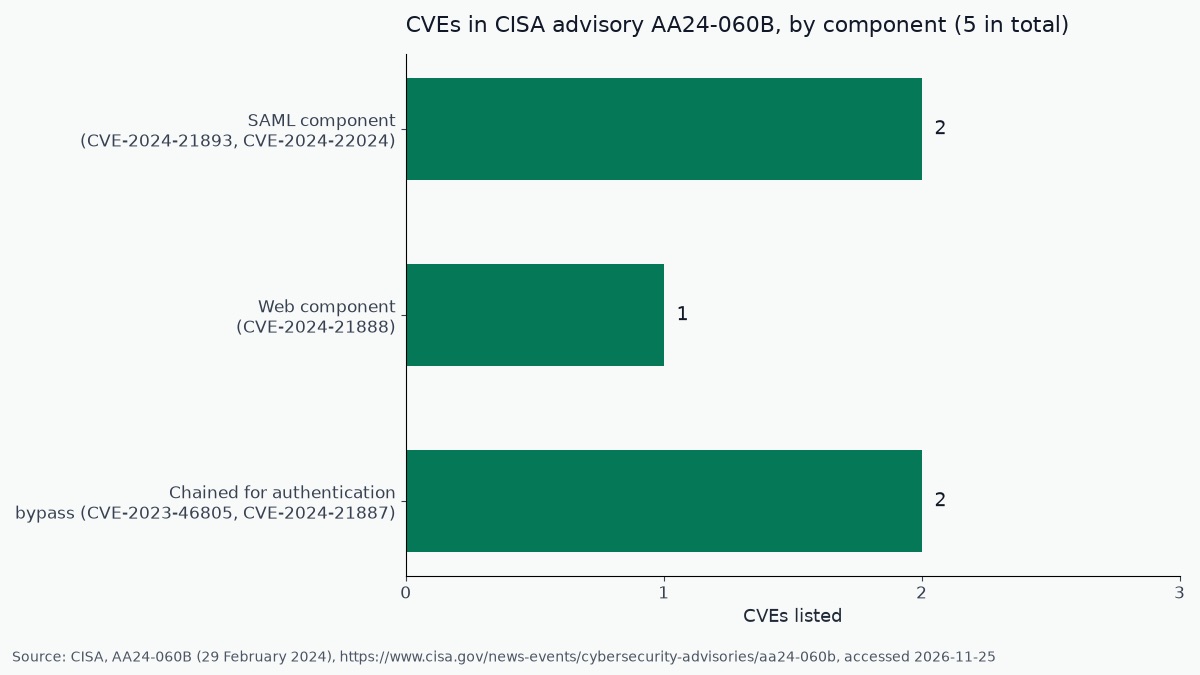
The older model carries a documented risk. In its February 2024 advisory on Ivanti Connect Secure and Policy Secure gateways (AA24-060B, released 29 February 2024), CISA described CVE-2024-21893, a server-side request forgery flaw in the SAML component, and two other flaws that threat actors chained to bypass authentication and run commands with elevated privileges. The advisory says the vulnerabilities affected all supported versions (9.x and 22.x). It also asks organizations to “consider the significant risk of adversary access to, and persistence on, Ivanti Connect Secure and Ivanti Policy Secure gateways when determining whether to continue operating these devices in an enterprise environment.” An internet-facing VPN gateway is the kind of device that advisory covers, so check your gateway’s patch level and exposure now, whatever you decide about ZTNA.
What to check before you choose a zero trust network access product
- Protocols. List every protocol your users need. Web and most TCP applications are simple to move. Voice, legacy client-server tools and some UDP traffic often need a separate path. Ask each vendor which ones it carries.
- Client or clientless. Some services need an agent on each device. Others offer browser access for unmanaged devices. Map your device estate before you choose.
- Identity integration. Access decisions depend on your identity provider and device posture signals. Confirm the integrations you already run, not the ones on the logo wall.
- Licence model. None of the three vendor pages read for this guide states a price or a licence SKU. Get the model in writing, with the modules that cover private access, and check whether the price is per user, per device or per application.
- Regulatory duties. If a sector regulator sets access-control or incident-reporting duties for you, check with counsel before you decide which systems move first.
1. Zscaler Private Access: best for moving private apps off a VPN
Zscaler Private Access (ZPA) is Zscaler’s product for private application access. Its product page says: “Unlike with a VPN, users never access the corporate network, and apps are never exposed to the public internet.” It also states that “ZPA brokers direct, one-to-one connections between authorized users and specific apps,” and it names AI-powered app segmentation as a feature.
- Pro: The documented model is one-to-one brokering to a specific app, not a network tunnel.
- Pro: The page states that apps are not exposed to the public internet.
- Pro: Application segmentation is a named feature, which supports a least-privilege rollout app by app.
- Con: The page gives no price or licence model, so cost comparisons need a quote.
- Con: The page does not describe a migration path from an existing VPN, so plan that yourself.
Price and where to buy: not published on the product page read on 2026-11-25. Request a quote from the vendor. Warranty: not applicable to a subscription service; check the service terms. Photo: no real product image was sourced for this article.
2. Microsoft Entra Private Access: best for Microsoft-centred estates
Microsoft’s Private Access documentation in Microsoft Entra Global Secure Access describes its features as “a quick and easy way to replace your VPN to allow secure access to your internal resources.” It says that remote workers “don’t need to use a VPN to access these resources if they have the Global Secure Access Client installed,” and that the client “quietly and seamlessly connects them to the resources they need.”
- Pro: The documentation is explicit that Private Access is a VPN replacement for internal resources.
- Pro: For organizations already on Entra ID, the identity side is the same system the users already sign in to.
- Pro: The client connects users to resources without a manual VPN step, according to the documentation.
- Con: Remote workers need the Global Secure Access Client installed, so unmanaged devices need a separate plan.
- Con: The documentation page read does not state the licence SKU that unlocks the feature, so confirm it with Microsoft before you plan the rollout.
Price and where to buy: not published on the documentation page read. Confirm with Microsoft or a reseller. Warranty: not applicable to a subscription service. Photo: no real product image was sourced for this article.
3. Palo Alto Networks Prisma Access: best for consolidating remote access and branch security
Palo Alto Networks presents Prisma Access as a way to “deliver uncompromising secure remote access that transcends the limitations of VPN,” with zero trust access “focusing security down to the user, apps and app features.” The product page sits under its replace-VPN message, and it does not give a price or a licence model.
- Pro: The access model is stated at the level of user, app and app feature, which matches the zero trust principle in NIST SP 800-207.
- Pro: It is positioned to cover remote access and wider network security from one platform, which can reduce the number of consoles.
- Pro: The vendor’s replace-VPN page is clear about the target: remote access without the VPN tunnel model.
- Con: The page is marketing copy. It does not describe protocol coverage, so ask about the protocols you need.
- Con: A platform that covers more than remote access usually means a larger project, which the page does not size.
Price and where to buy: not published on the page read on 2026-11-25. Request a quote. Warranty: not applicable to a subscription service. Photo: no real product image was sourced for this article.
Side-by-side matrix
| Attribute | Zscaler Private Access | Microsoft Entra Private Access | Prisma Access |
|---|---|---|---|
| Replaces a VPN (vendor wording) | “Unlike with a VPN, users never access the corporate network” | “replace your VPN to allow secure access to your internal resources” | “transcends the limitations of VPN” |
| Connection model | Direct, one-to-one connections to specific apps | Global Secure Access Client connects users to resources | Zero trust access focused on user, app and app feature |
| Client needed for remote users | Not stated on the page read | Yes, the Global Secure Access Client | Not stated on the page read |
| Price on the page read | Not published | Not published | Not published |
| Source date | Copyright 2026 (no update date) | ms.date 2026-03-12 | No update date shown |
Which to pick?
- By budget: the three pages read give no prices, so budget cannot be ranked from them. Get a written quote from each vendor for the same user count and application list, then compare.
- By use: if most of your users work in Microsoft 365 and Entra ID, start the comparison with Microsoft Entra Private Access. If you need private application segmentation as the first step, start with Zscaler Private Access. If you want remote access and branch security on one platform, start with Prisma Access.
- By company size: small teams with a few web apps can often move in one wave. Larger estates with legacy protocols should keep the VPN running for those protocols and move the rest first.
Migration sequence that works with any vendor
- Inventory the applications behind the VPN, with protocol, owner and users.
- Patch and restrict the VPN gateway now, using the CISA advisory as the reason to act.
- Pilot ZTNA with web and TCP applications used by a small group of users.
- Move applications in waves. Keep the VPN for protocols the service cannot carry.
- Retire the VPN tunnel only when every application in scope has a verified route, which your own team must confirm.
Frequently asked questions
Is zero trust network access better than a VPN?
For private web and TCP applications, a ZTNA service gives narrower access than a VPN, because it grants access to one application rather than a network segment. NIST SP 800-207 describes that model. For protocols a service cannot carry, a VPN may still be needed for now.
Does a ZTNA service replace the VPN in one step?
Usually not. Most teams move applications in waves and keep the VPN for the remaining protocols. The vendor pages read for this guide do not describe a full cut-over, so plan it yourself.
Why act on the VPN now?
CISA’s AA24-060B advisory describes chained flaws in Ivanti Connect Secure and Policy Secure gateways that let attackers bypass authentication, and it tells organizations to weigh the risk of keeping those devices in service. Check the patch level and internet exposure of any VPN gateway you run.
Does CISA’s zero trust maturity model require ZTNA?
No. CISA describes its Zero Trust Maturity Model as one of many roadmaps that agencies can reference. It covers five pillars and three cross-cutting capabilities, with the stages traditional, initial, advanced and optimal. Access to applications is one part of it.
What do the vendors charge?
The product pages read for this guide did not publish prices. Ask each vendor for a quote based on the same user count and application list, and record the date.


